
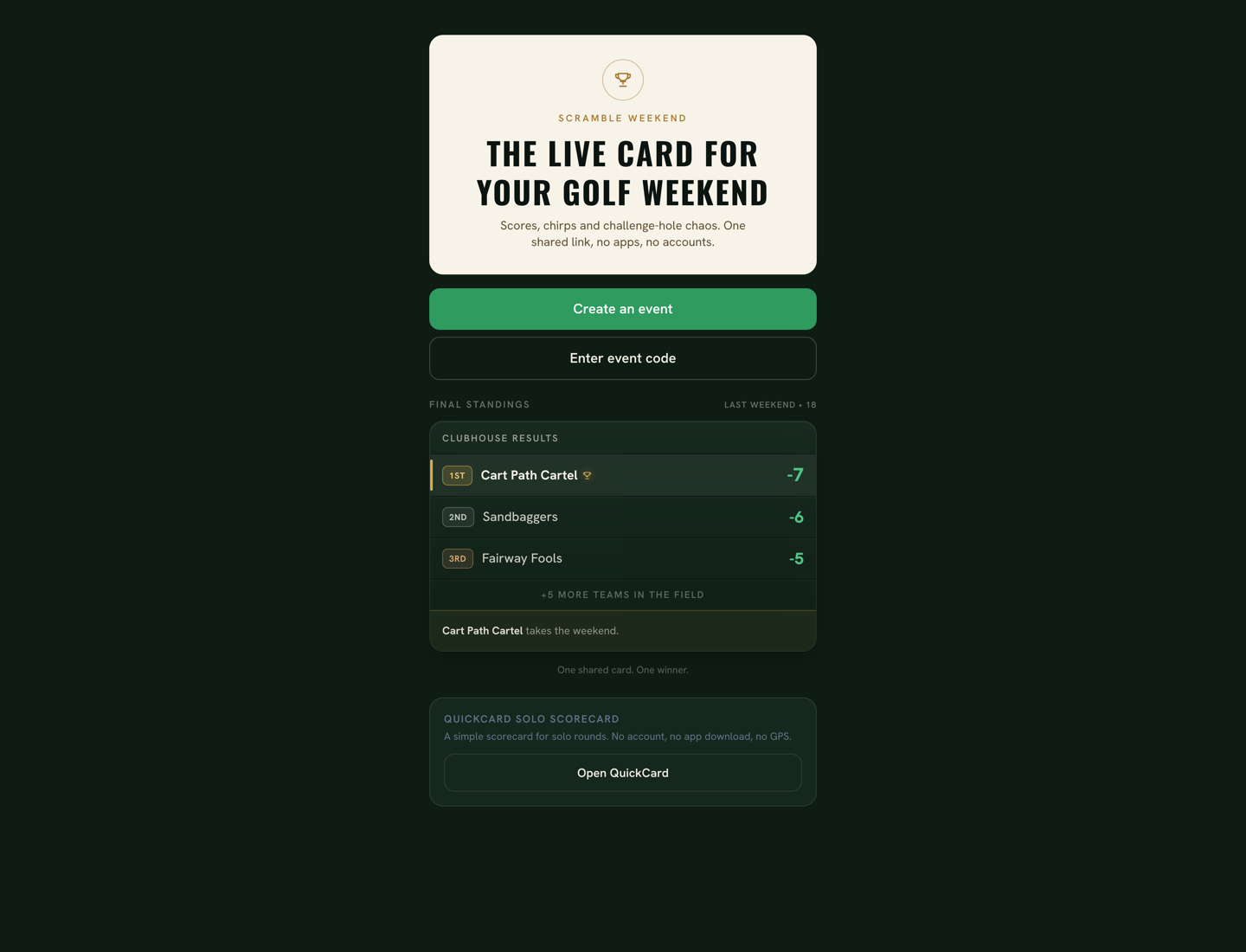
What was needed
A golf weekend with friends has a lot happening at once: scores, challenge holes, and running commentary, while the group itself is spread across the course.
The experience needed to keep everyone connected without turning the phone into the center of the day. Players should be able to open the link, handle the next action, and get back to golf.
Who it's for: Casual golf groups sharing a scramble weekend, plus the friends and spectators who want to follow along live, without requiring an app install or individual user accounts.
Constraints
- Built for quick use outdoors on a phone: readable text, generous touch targets, and short interactions that do not interrupt the round.
- Low-friction entry: players should not need to download an app or create accounts to take part in a casual golf weekend.
- One shared event: multiple teams need to see the same evolving scoreboard and event state while playing different holes around the course.
- Lightweight team identity: posting scores needs enough verification to protect team entries without turning participation into a full account system.
- Challenge mechanics affect real scoring: commitments have to happen before the score is submitted, and the result has to stay understandable afterward.
- Public versus private information: friends and spectators can follow the event and join the chirps without exposing the credentials used to post scores or manage the round.
What was built
Event flow
- Event creation with teams, player rosters, PINs, hole count, and optional course and game settings
- Code-based entry: one share code is the whole address of the event
- Roster-based self-join: enter the team PIN, pick your name, play
- Returning devices are remembered, so joining happens once
Shared round
- Live scoreboard with collapsed team cards and hole-by-hole detail
- Preset score entry (Eagle to Double+) designed for one-thumb use
- A live feed that writes itself from scores, challenges, and chirps
- A one-tap preset chirp wall for on-course commentary
Game mechanics
- Four challenge holes with distinct rules, from a three-putt penalty to a final-hole score prophecy
- Pre-hole commitments that lock before score entry opens
- Automatic score adjustments, stored separately from the base score
Completion
- A completed scorecard and final standings recomputed live from every posted score
- A shareable, screenshot-friendly results view with a challenge summary
- Admin round control: corrections, locks, edit history, end and reset
Key decisions
Browser-first instead of app-install-first: one shared link and an event code get the group into the event without an app install.
For a casual weekend, every extra setup step adds friction. A shared web link keeps the experience lightweight for players and spectators alike.
Spectator-friendly shared event: friends and spectators can open the event, follow live results, and join the banter through chirps without joining a team. Team entry is only needed for score posting.
The experience should be fun to follow as well as play. Keeping viewing and chirps lightweight lets friends and spectators participate in the weekend while team verification stays focused on score posting.
Game rules live inside score entry: Safe or Dare and prediction commitments lock before the score buttons unlock, and adjustments apply automatically.
A side game only works if it cannot be gamed or forgotten. Putting the decision in the scoring flow makes the mechanic real instead of a rules page nobody reads.
Keep credentials separate from public event data: the public scoreboard never carries the codes used to manage teams or the round, and protected actions are verified server-side.
Low friction cannot mean insecure. The scoreboard is public, but posting scores and running the event stay protected, even in a game among friends.
What works now
A live browser app a group can use today: create a scramble, share the event code, let teams join, let friends and spectators follow live scores and chirp along, post hole results, make challenge decisions inside score entry, and finish with a completed scorecard and final standings.
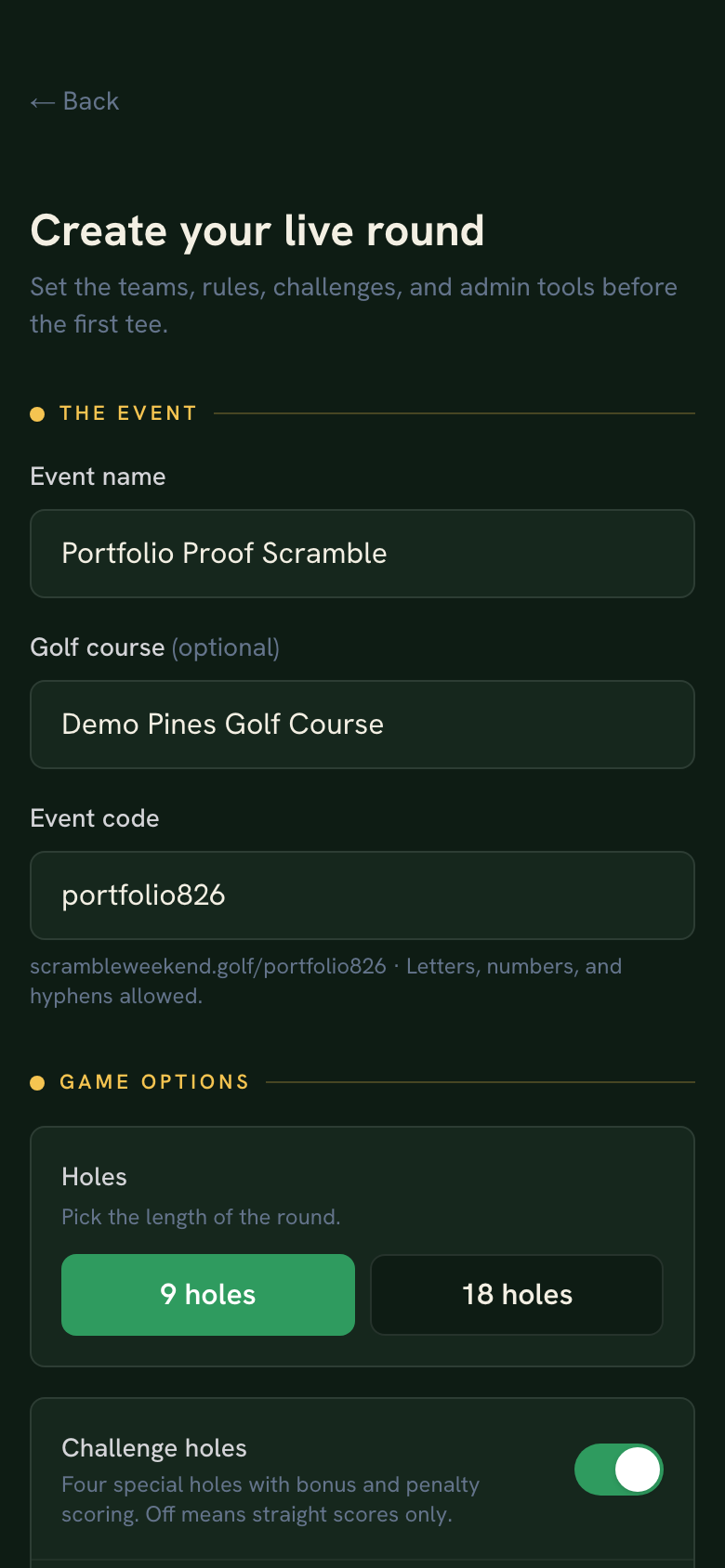
Event setup in the browser: name, course, shareable code, and game options in one form. 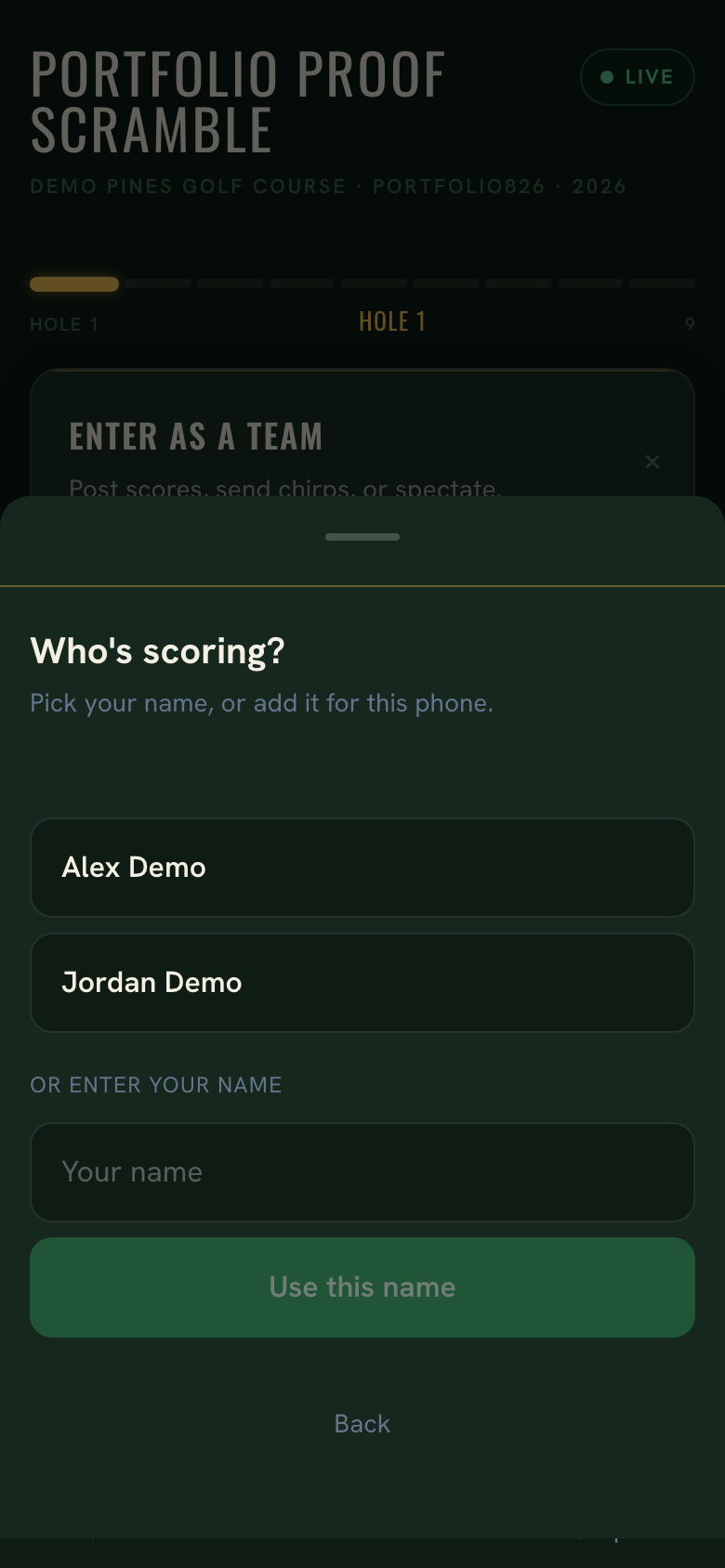
After the team is verified, players pick their name from the roster and start playing. 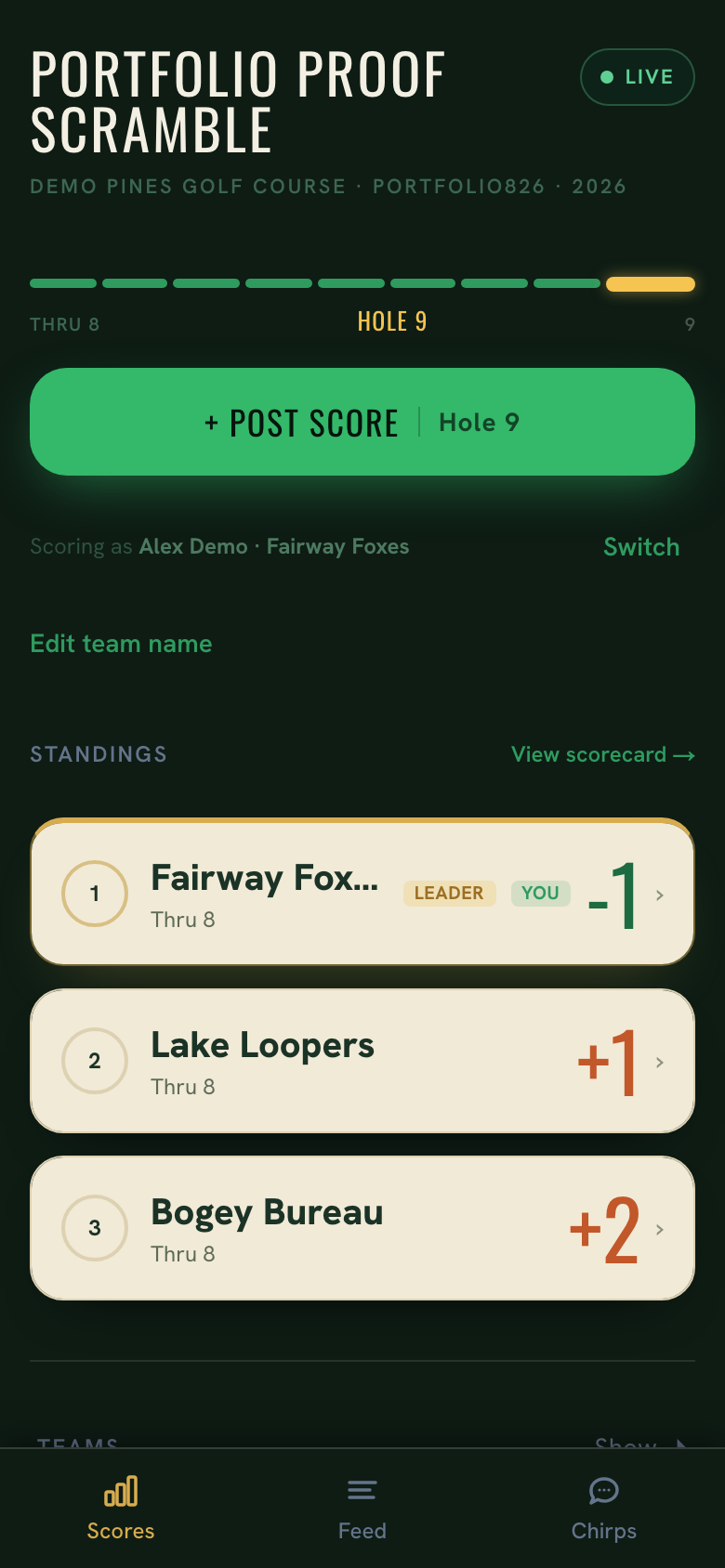
The shared card mid-round: live standings, Thru 8, and your own team in context. 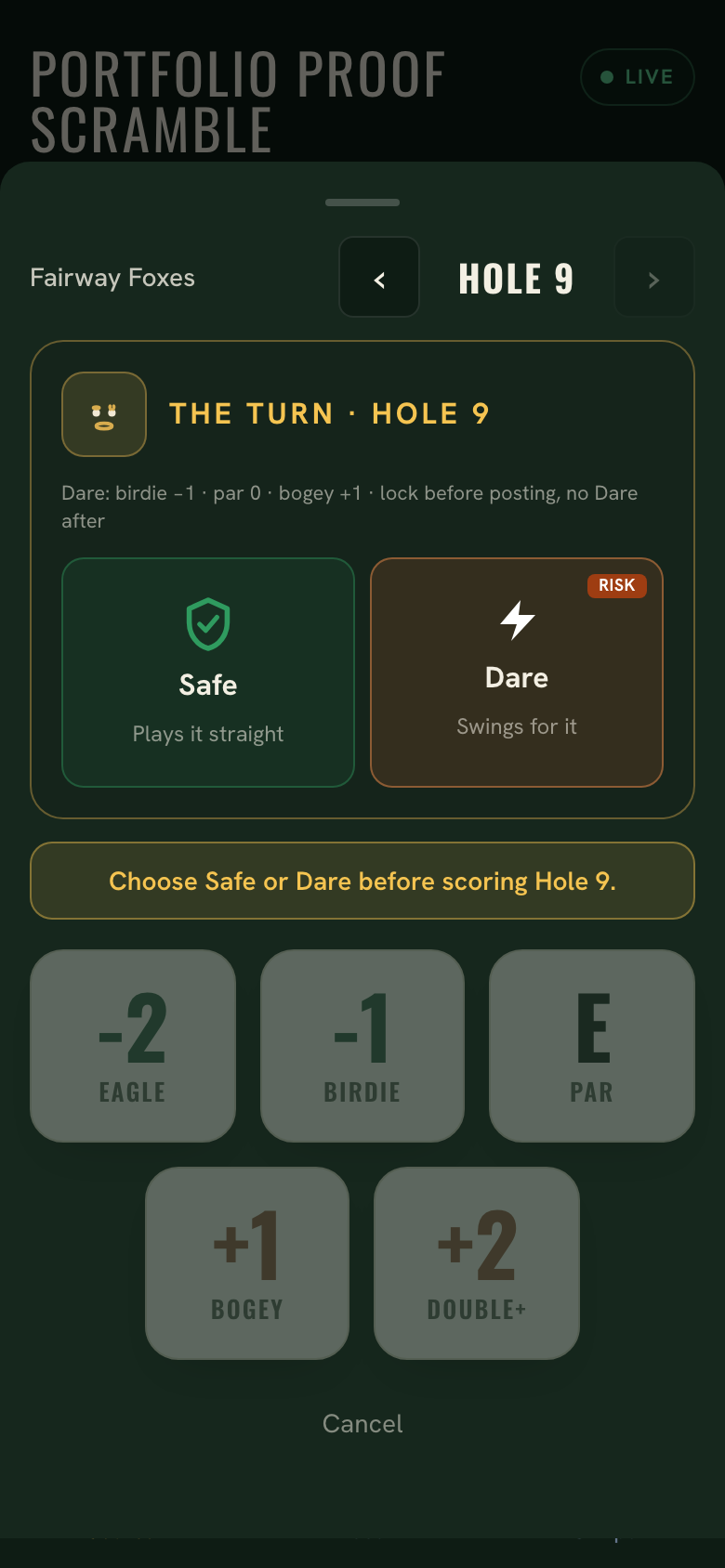
Challenge holes are enforced, not explained: score entry stays locked until the team commits Safe or Dare. 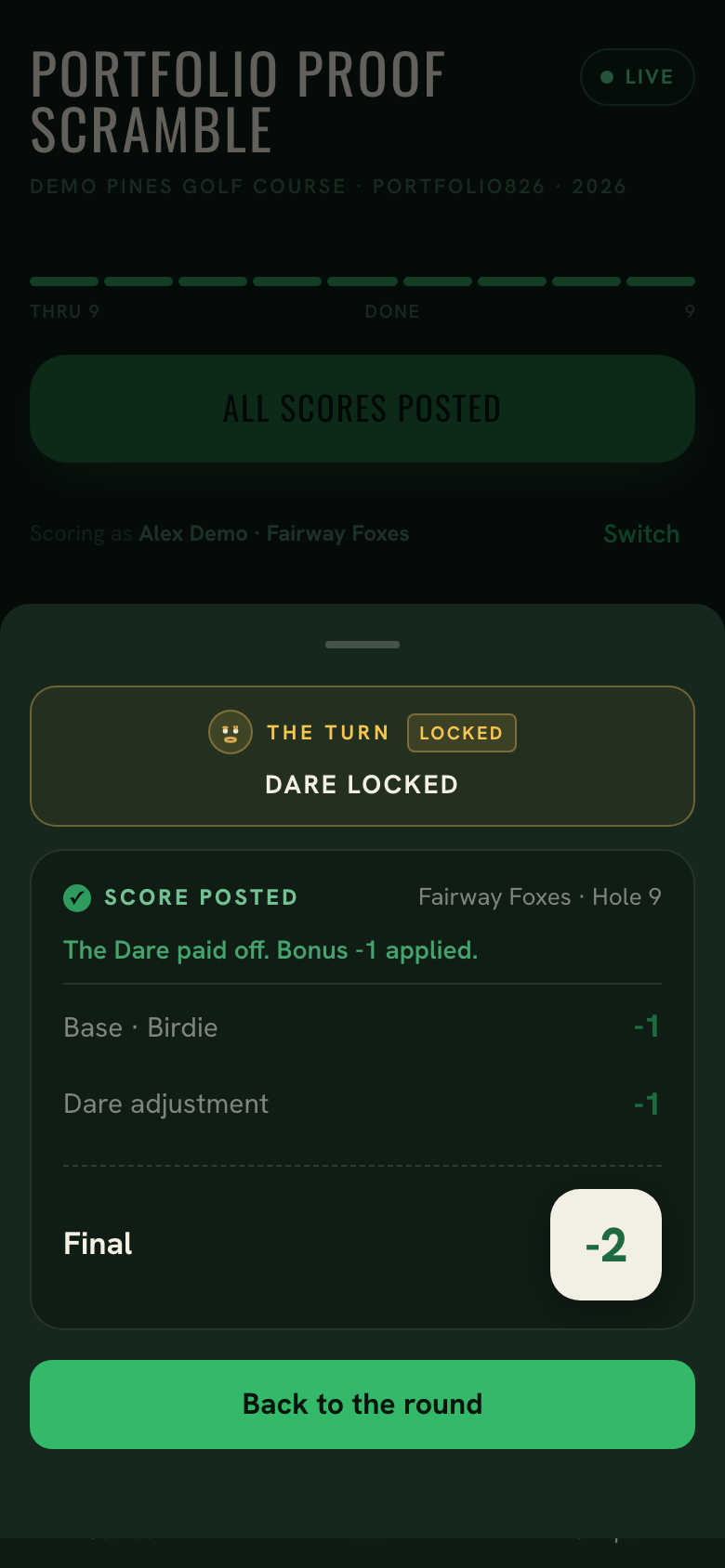
The payoff, applied automatically: a birdie on the Dare turns -1 into -2 on the card. 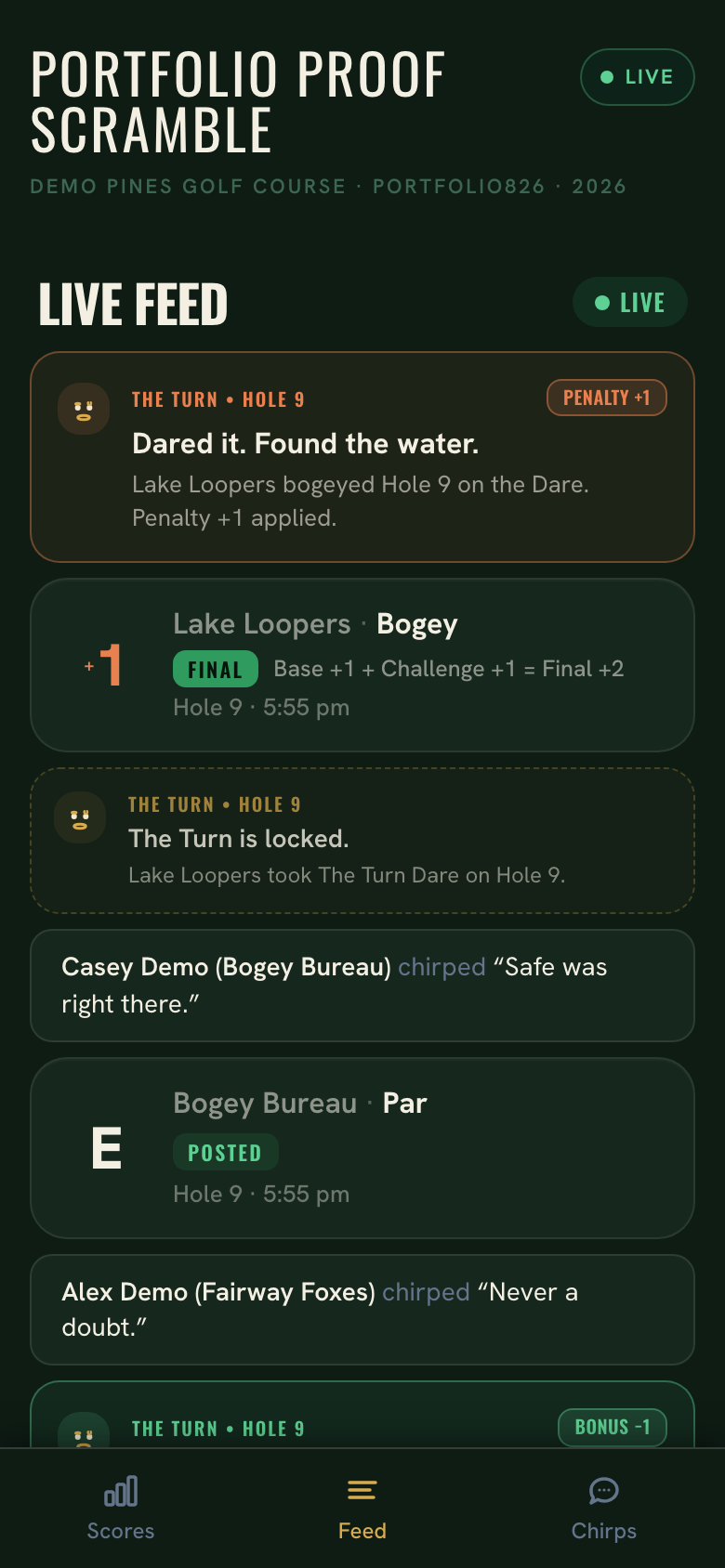
The round tells its own story: scores, challenge results, and chirps land in one live feed. 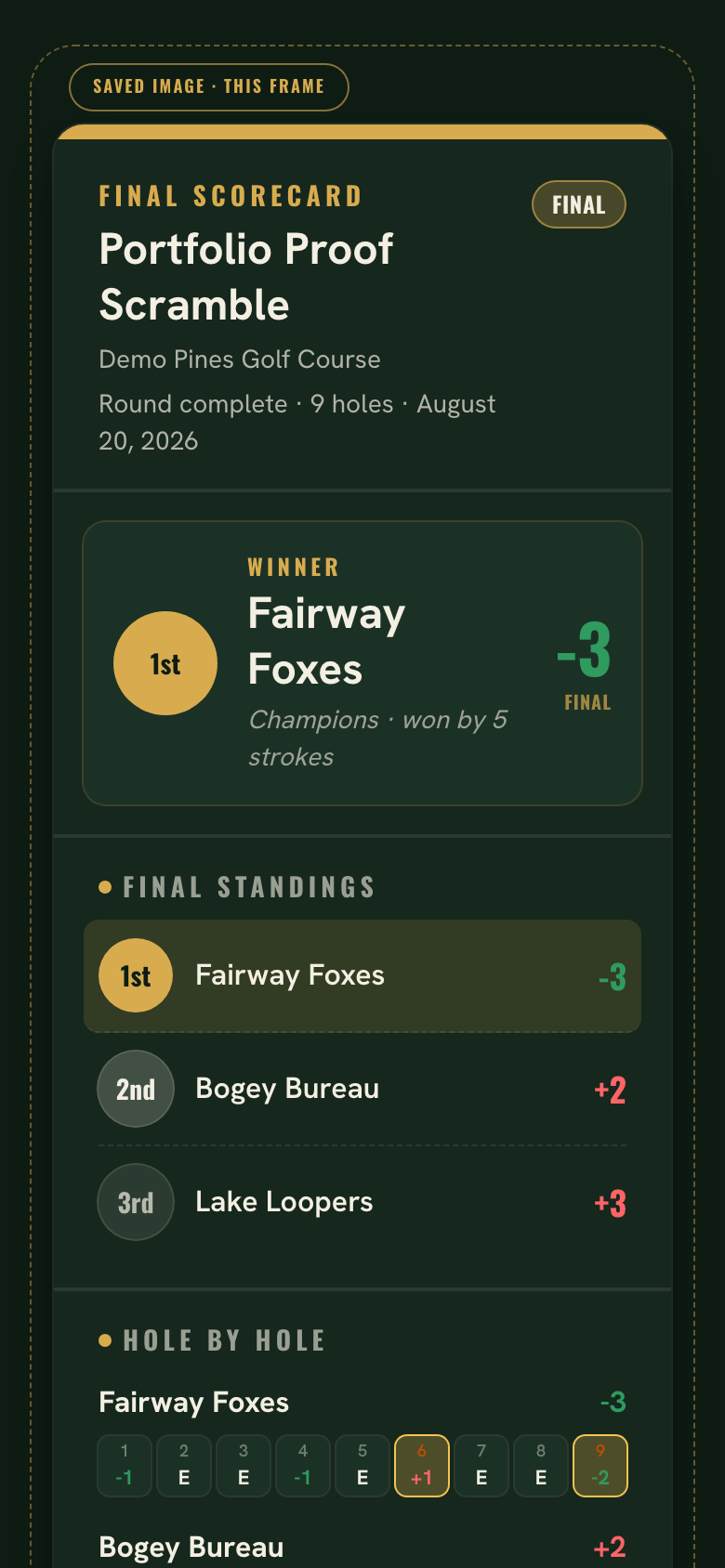
The finished weekend on a phone: winner, final standings, and the scorecard in one shareable view.
Role and tools
Product concept, event-flow design, interface, implementation, game behavior, testing, and live deployment.
- Next.js
- React
- TypeScript
- Tailwind CSS
- Supabase
- Netlify
- Vitest
Lessons and what's next
- The common actions had to stay lightweight. Golfers can get in, post scores, and get back to the round, while friends and spectators can follow live results and join the chirps without joining a team.
- A live shared surface needs deliberately designed empty, active, and completed states. The scoreboard before the first score matters as much as the final card.
- Game mechanics land better inside the scoring workflow than beside it. Commitments happen at score entry, not on a rules page that gets forgotten.
- Separating public participation from privileged actions from the start made later features simpler and safer to ship. Friends and spectators can follow the round and join the chirps, while score posting and event management remain protected.
- Event history: saved rounds could eventually become useful year-over-year records.
- Additional social and results polish can build on the working core.